


CorrectPay
3.6444.00 Reviews
App Specs
- Version
- Varies with Device
- Updated On
- License
- Free
- Downloads
- 500,000+
- Developer
- Tyler Technologies, Inc
- Categories
- Communication
- Platform
- Android
Screenshots
 Analysis by AppCompare
When someone close to you is in jail, ordinary tasks can become surprisingly complicated. Sending money for commissary or arranging a video visit is not something I want to solve through scattered phone numbers, paper forms, and several different websites. CorrectPay brings those two needs into one communication app, and that focused purpose is its biggest strength.
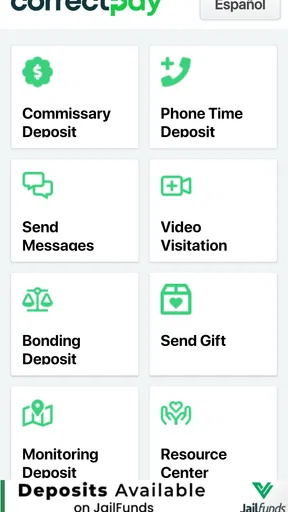
I reviewed it as a practical tool rather than as a general messaging service. It is a free app from Tyler Technologies, Inc, listed for Everyone and placed in the Communication category. Its central job is simple: help users make commissary deposits and take part in video visits with loved ones in jail. That narrow focus makes it useful for the right household, but it also means it is not an app I would recommend to someone looking for ordinary chat, social networking, or broad video-calling features.
The best way to think about CorrectPay is as a task app for staying connected when the correctional facility is part of the process. It can reduce the number of places a family member needs to check, but it does not remove every restriction created by the facility itself. My experience with this kind of service is that success depends as much on careful preparation as on the app’s interface, so I paid attention to repeatable habits, settings, and the points where the workflow can slow down.
Using CorrectPay for the everyday tasks that matter
I find it helps to treat CorrectPay as two separate routines rather than one catch-all service: a careful deposit check and a prepared video visit. Before relying on either, I’d make a small personal checklist of the facility and intended contact, then keep transaction steps distinct from visit preparation. That gives me a calmer starting point when a task is time-sensitive and leads naturally to the setup checks that can prevent avoidable delays.
A practical starting workflow
The first useful decision is to separate the two main jobs: deposits and video visits. They may belong to the same account area, but they are not the same activity. A deposit is a transaction that needs careful recipient and amount checking. A video visit is a scheduled communication session that depends on the person, facility, and visit details being correct. Treating them as separate steps helps prevent a rushed payment or a missed appointment.
I would begin by signing in and making sure the intended loved one and facility are selected before doing anything else. This is especially important for families who support more than one person or who have contacts connected with different facilities. A familiar name is not enough confirmation on its own. I would pause at the recipient screen, check the facility information, and only then continue with the deposit or visit setup.
For a normal weekly routine, the process might look like this: check whether a visit is already arranged, review the next communication need, make a commissary deposit if necessary, and then close the app after confirming the result. This order keeps the financial task from being mixed up with the more time-sensitive visit task. It also makes it easier to notice whether a visit needs attention without repeatedly searching through unrelated screens.
Worth Reading Before You Choose

EA SPORTS FC Mobile 26 Is a Bigger Football Game, but It Takes Time

Flipboard Shows What News Apps Must Do Beyond the Feed

Switching to Android Auto Means Rethinking Your Driving Routine

Google Calendar Makes a Crowded Week Easier to Manage

Ludo King Makes the Most of the Minutes Between Plans

Baby Panda World Brings Quick Play to Modern Phones, but Its Game Library Feels Busy
A realistic example is a family member who wants to send money before the weekend and join a video visit afterward. I would not wait until the visit is about to begin. I would complete the deposit earlier, keep the confirmation available, and open the visit area separately when the scheduled time approaches. That small separation is one of the most useful habits because it reduces pressure when an account needs to load or a connection takes longer than expected.
What the deposit workflow is good at
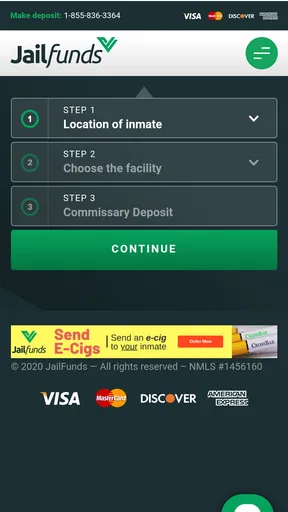
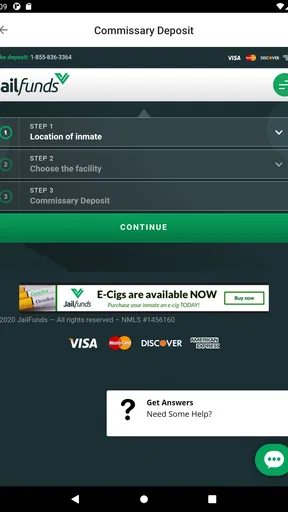
CorrectPay is more convenient than trying to manage commissary support through informal arrangements. The app gives the user a direct place to handle the deposit, which is valuable when the person inside needs funds for approved items and the sender wants a clear, repeatable process. I like that the task is presented as part of the same service used for visits rather than forcing the user to remember a completely separate communication channel.
The main strength is not that the payment step is exciting; it is that it can become predictable. Once the correct recipient and facility are identified, a user can return to the same workflow instead of starting from scratch every time. That matters for relatives who send support regularly, particularly when they are helping someone from another city or managing the task around work and family responsibilities.
My advice is to slow down at the final review stage. Check the person, facility, and amount before confirming. A quick tap is tempting when the app already feels familiar, but familiarity is exactly when mistakes happen. I would also keep the confirmation screen or transaction reference accessible until I know the deposit has been accepted. That is not a special CorrectPay feature; it is simply a sensible habit for any financial action.
Preparing for a video visit
The video-visit side is where timing becomes more important. A user should think of the app as the doorway to the visit, not as a guarantee that every visit will work under every circumstance. The facility’s rules, the approved contact, the scheduled time, and the device’s own camera and microphone behavior all affect the experience.
Before a first visit, I would open the app early and make sure the account is ready rather than waiting for the exact appointment time. I would check that the device has enough battery, that the camera lens is clear, and that the microphone is not being used by another application. These checks sound basic, but they are more useful than troubleshooting after the session has already started.
CorrectPay is a better fit for people who need the correctional system’s approved communication route than for people who simply want the highest-quality video call. A normal consumer video app may offer more familiar controls, easier group calling, or more flexible scheduling, but it will not serve the same purpose when the facility requires a specific service. In that situation, convenience is measured by access and compliance, not by entertainment features.
Settings worth checking before relying on it
I would review the app’s notification behavior as soon as the account is set up. Visit reminders and account-related messages are easy to miss if notifications are disabled, silenced, or blocked by a phone’s battery-saving mode. On the other hand, someone who dislikes frequent alerts may prefer to allow only the notifications that help with visits and deposits. The right choice depends on how often the account is used, but ignoring these controls can turn a manageable schedule into a memory test.
Device permissions deserve the same attention. Video visits normally depend on camera and microphone access, so I would check those permissions in the phone’s settings before the first session rather than assuming the app can activate them automatically. If access was denied during setup, the fix may require leaving CorrectPay and changing the permission manually. This is one of the less obvious sources of frustration for a first-time user.
I would also inspect the phone’s network and battery settings. A stable Wi-Fi connection is generally preferable for a video session, while aggressive background restrictions can interfere with notifications or make the app reload when switching between screens. These are operating-system settings rather than special CorrectPay controls, but they are part of the real workflow. An app can be correctly installed and still behave poorly if the phone is restricting it too heavily.
Privacy is another reason to review settings carefully. A shared family device should not be left signed in if other people can open it. I would sign out when appropriate and avoid saving access details on a phone that is used by several people. This is particularly relevant when the account is used for both visits and deposits, because one login can expose more than a simple chat history.
Faster patterns for repeat users
Experienced users can make the process faster without rushing it. My preferred pattern is to create a short checklist outside the app: confirm the facility, confirm the person, review the task, and save the confirmation. The checklist sounds almost too simple, but it prevents the most common repeat-use mistake—assuming that the last selected contact or facility is still the right one.
For regular deposits, I would choose a consistent day and time to review the account instead of opening it randomly whenever I remember. This does not automate anything, and I would not assume that a previous payment creates a recurring arrangement. It simply turns an emotional, easy-to-forget task into a routine. A calendar reminder can help, especially for relatives who are balancing several responsibilities.
For visits, I would use a two-stage reminder pattern: one reminder to prepare the device and another close to the appointment. The earlier reminder is for charging the phone, checking permissions, and finding a quiet place. The later reminder is for opening CorrectPay and being ready. This is more reliable than treating the visit like an ordinary call that can be answered whenever convenient.
Another useful habit is to avoid changing several things at once when something goes wrong. If a video session fails, first check the network, then the camera and microphone permissions, then whether the app needs to be reopened. Changing the account, device, network, and settings simultaneously makes it difficult to know what fixed the problem. A calm sequence is faster than repeated guessing.
I would also avoid making a deposit while distracted by an incoming call or while moving through a crowded place. The app’s purpose is sensitive enough that accuracy matters more than shaving a few seconds from the process. A quiet moment and a final review are a better shortcut than speed alone.
Where the app’s limits become visible
CorrectPay cannot make the correctional communication process as flexible as ordinary internet services. The person you want to contact, the available visit arrangements, and the practical timing are tied to the relevant jail’s procedures. That means the app may feel restrictive to someone accustomed to opening a video call whenever both people are free.
The same limitation affects deposits. The app provides a route for sending commissary funds, but users should not treat it like a general money-transfer service. The recipient and facility must be correct, and the transaction should be handled with the care I would use for any payment. If a family needs broad financial tools, budgeting, bill payment, or ordinary peer-to-peer transfers, another financial app will be a better choice.
Its rating is an average of 3.6 from around 1.3 thousand ratings, while the app has more than 500 thousand installs. Those figures suggest that many people find a reason to use it, but they also fit my balanced impression: the app solves a specific problem, yet the experience can be affected by account details, facility procedures, device permissions, and connection quality. I would not judge it like a casual social app because its usefulness depends on a specialized situation.
The service has been available since March 8, 2021, and its free price makes it easy to try without committing to a subscription for the app itself. Free does not mean that every part of the wider communication process is frictionless, though. Users should still read each confirmation screen carefully and understand what they are authorizing before completing a deposit or arranging a visit.
One important trade-off is simplicity versus coverage. CorrectPay’s focused design can be easier than juggling separate tools, but it is not intended to replace every communication method a family may need. If the person you care about is not connected to a facility supported by the service, or if you need ordinary messaging with friends and relatives, I would skip it and use a more suitable app. Its value appears when the service matches the facility’s required workflow.
Who will benefit most from it
I would recommend CorrectPay to relatives who regularly need to support someone in jail and who want one recognizable place for commissary deposits and video visits. It is also useful for first-time users who find the correctional facility’s communication process confusing and prefer to keep the main tasks together. The free download and Everyone content rating make it approachable for a broad range of adult family members managing these responsibilities.
It is less suitable for someone who expects instant, unrestricted video calling, advanced social features, or a full financial dashboard. It is also not the right tool for a user who does not want to check facility details, manage visit timing, or troubleshoot basic phone permissions. Those requirements are not flaws unique to the app; they are part of using a controlled communication channel.
Compared with calling the facility directly, the app can be more convenient for repeat tasks because the user can return to the same digital workflow. Compared with ordinary video-calling apps, it is more relevant when the jail requires an approved service, but less flexible and less feature-rich. Compared with handling deposits through separate payment channels, its advantage is having the communication context nearby. The trade-off is that users must remain careful about selecting the correct person and facility.
My verdict after building a repeatable routine
CorrectPay is worthwhile when its specialized purpose matches your situation. I would not install it just because it is a communication app; I would install it because I need a practical route for commissary support or an approved video visit with someone in jail. In that setting, bringing the two tasks together can save time and reduce the mental load of remembering different services.
My strongest recommendation is to use it deliberately: prepare the phone before a visit, review notification and permission settings, verify the recipient and facility every time, and keep transaction confirmations until the task is settled. Those habits do more for reliability than tapping quickly or assuming the last-used choices are still correct.
The developer, Tyler Technologies, Inc, has positioned the app around a very specific need rather than trying to compete with everyday social or video platforms. That focus is both its reason to exist and its boundary. If you need that focused connection, the free app is a sensible tool to keep available. If you want broad communication features outside the correctional setting, I would choose something else and avoid expecting this app to become a general-purpose messenger.
Overall, CorrectPay earns my recommendation for families who need a repeatable way to manage these particular interactions. It is most effective when treated as part of a careful routine, not as a one-tap solution to every problem surrounding jail communication. For the right user, that distinction is exactly what makes it useful.
Pros
- Simple interface makes everyday payment tasks easy to find.
- Supports convenient digital payment management from a mobile device.
- Transaction details can help users keep track of their activity.
- Useful for users who prefer handling payments without visiting a branch.
- Mobile access makes the service available while traveling or away from home.
Cons
- Availability and features may vary depending on your country or provider.
- Some transactions may include processing fees or service charges.
- Requires a stable internet connection for most payment functions.
- Account verification may require personal and financial information.
- Support response times may vary when resolving payment-related issues.
FAQs for CorrectPay
What is CorrectPay, and what can I use it for?
CorrectPay is a digital payment application designed to help users manage everyday financial transactions from a mobile device. Depending on the services available in your region, it may allow you to send or receive money, pay bills, purchase services, review transaction activity, and manage payment details. Before downloading, check the official app listing to confirm which features and supported countries apply to your account.
Is CorrectPay safe to use for payments and personal information?
CorrectPay may include standard security measures such as account authentication, encrypted connections, transaction confirmations, and activity monitoring. However, no financial application is completely risk-free. Download it only from an official source, use a strong and unique password, enable any available security options, and never share verification codes or login details. Always review the recipient and amount carefully before confirming a payment.
Does CorrectPay charge fees for transactions or other services?
Fees can vary according to the type of transaction, payment method, currency, location, and any limits associated with your account. Some actions may be free, while transfers, withdrawals, card payments, currency conversion, or bill services could involve additional charges. CorrectPay users should review the fee information shown inside the app or during checkout before approving a transaction, especially for international payments.
Which devices and operating systems are compatible with CorrectPay?
CorrectPay is intended for mobile users, but compatibility can depend on the version offered for Android or iOS and the operating system installed on your device. Check the official store page for the current minimum requirements before downloading. Keeping your phone’s operating system and the application updated is also recommended, since older versions may not support newer security features or payment functions.
What should I do if a CorrectPay payment fails or money is missing?
If a payment fails, first check your internet connection, account balance, payment details, and whether the recipient or service is supported in your region. Review the transaction history to determine whether the payment is pending, declined, reversed, or completed. Avoid submitting the same payment repeatedly until its status is clear. If the issue remains, contact CorrectPay support through the official in-app or website channels and provide the transaction reference.


